Green tick and red cross
Input field with arrow buttons
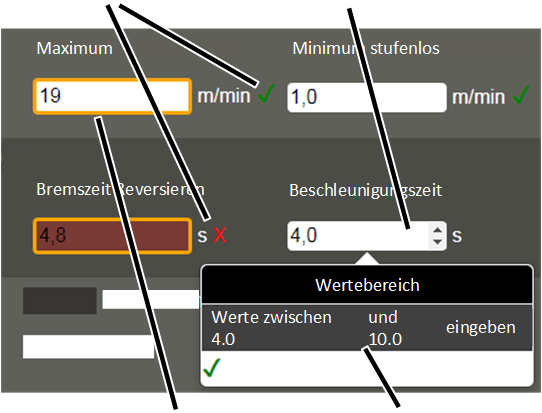
Yellow border
Value range
Numerical values can be entered for some functions.
An input field with a white background is displayed in the window:
|
Green tick and red cross |
Input field with arrow buttons |
|
| |
|
Yellow border |
Value range |
 Click input field.
● Arrow buttons appear for changing the values.
● The value range with the minimum and maximum permitted values is shown under the input field.
Enter the desired value with the
keyboard, or increase/reduce the value using the arrow buttons.
● If the new value lies within the permitted value range, a green tick appears next to the input field.
● If the new value lies outside the permitted value range, a red cross appears next to the input field. The input field background also becomes red.
● If the value was changed, a yellow border appears around the input field.
The value is not yet saved in ABUControl. See Saving values in ABUControl.