Fault code
Message
If the crane does not function with ABUControl, or does not function as expected, a fault in the ABUControl may be the cause.
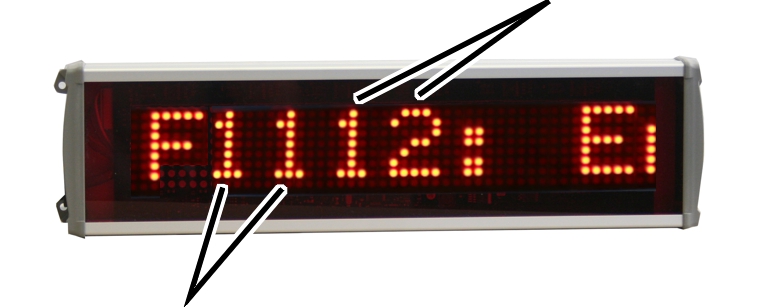
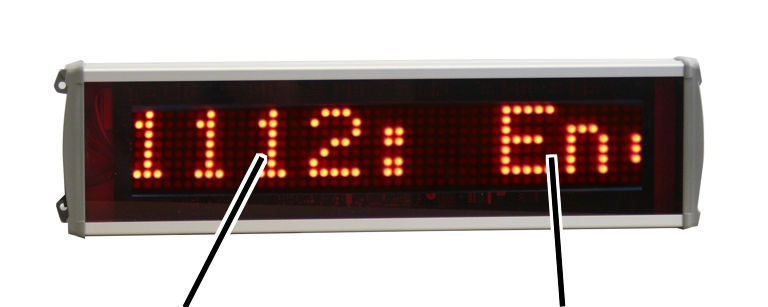
A message appears on the LED matrix display:
|
| |
|
Fault code |
Message |
● The LED matrix display shows the fault code and the message from ABUControl as scrolling text.
The text speed can be set in KranOS by ABUControl.
The displayed messages are divided into three categories, depending on their seriousness.
|
| |
|
|
Message category |
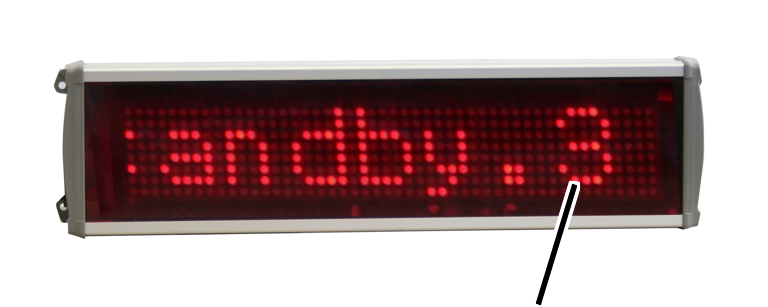
● The category is displayed at the end of the message as “.1”, “.2” or “.3”.
─ “.3”: Information message. The crane can continue to be normally operated.
To acknowledge the message display, press the emergency stop button or horn.
─ “.2”: Not a serious error. The emergency stop function is triggered, the crane comes to a standstill.
To acknowledge the message display, press the emergency stop button or horn.
If the error does not occur again afterward, the crane can continue to be operated normally.
If the error occurs again afterward, the message is not displayed again. The crane can continue to be operated, however, the crane axis affected by the error can only be operated at slow travel speed.
─ “.1”: Serious error. The emergency stop function is triggered, the crane comes to a standstill.
To acknowledge the message display, press the emergency stop button or horn. If the error arose from a frequency converter, the crane must be switched completely off and then back on again.
If the error does not occur again afterward, the crane can continue to be operated normally.
If the error occurs again afterward, the message is displayed again. The emergency stop function is triggered again.
The digits in front of the message indicate where (e.g. on which crane axis) the error occurred and which trolley or hoist (in the case of multiple trolleys on the crane) is affected.
|
|
Third and fourth digits for the error number | |
|
| ||
|
Crane axis or operating range |
| |
─ First and second digits: number of the hoist, the trolley or the crane drive in combination with the crane axis or operating range
─ Third and fourth digits: error number
This results in the following combinations for the first two digits:
|
Digits |
Location |
|
F00_ _ |
General error |
|
F11_ _ |
Hoist 1, hoist drive 1 |
|
F12_ _ |
Hoist 1, hoist drive 2 |
|
F21_ _ |
Hoist 2, hoist drive 1 |
|
F22_ _ |
Hoist 2, hoist drive 2 |
|
F31_ _ |
Hubwerk 3, Hubantrieb 1 |
|
F32_ _ |
Hoist 3, hoist drive 2 |
|
F13_ _ |
Trolley 1 |
|
F23_ _ |
Trolley 2 |
|
F33_ _ |
Trolley 3 |
|
F14_ _ |
Crane drive, frequency converter 1 |
|
F24_ _ |
Crane travel drive, frequency converter 2 (only with electronic track guidance system and 4-wheel crane travel drive) |
“Hoist drive 2” (F_2_ _) is only used with twin
hoists. All other hoists have only one hoist drive (F_1_ _)
“Hoist 2” and “Hoist 3” as well as “Trolley 2” and “Trolley 3” apply to cranes with two or three trolleys.
A crane normally has one frequency converter for both crane travel drives (F14_ _). For cranes with an electronic track guidance system, each of the two crane travel drives has its own frequency converter (F14_ _ and F24_ _). For 4-wheel crane travel drives with greater power consumption of the motors, the four drives can also be divided between two frequency converters.
|
Digits |
Location |
|
F40_ _ |
Crane distancing system |
|
F41_ _ |
Bypass control |
|
F51_ _ |
Trolley distancing system, Trolley 1 |
|
F52_ _ |
Trolley distancing system, Trolley 2 |
|
F53_ _ |
Trolley distancing system, Trolley 3 |
|
F60_ _ |
Overrun protection |
The LED matrix display shows “No Signal”:
● The LED matrix display is not receiving a valid signal from the crane control.
The current fault codes and messages from ABUControl, fault codes from the frequency converter as well a log file of all previous messages can be displayed in KranOS.
For this work step, access from a laptop or tablet computer to KranOS is necessary. The user "Abnahme" (commissioning) (user level ‚[2]) or "Service" (user level [1]) must be logged in.
|
|
Fault code from frequency converter |
|
| |
|
Fault codes with messages from ABUControl |
|
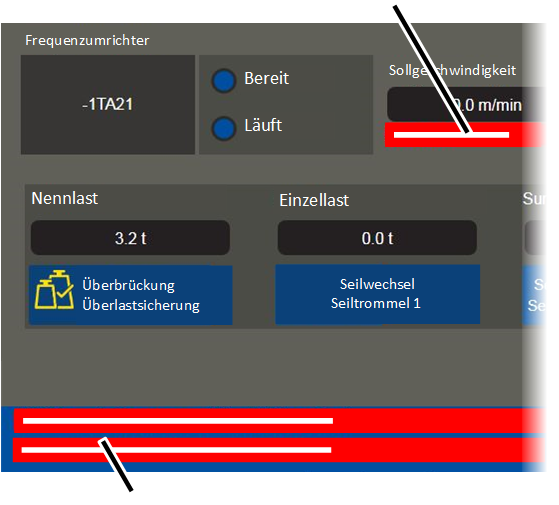
Display of the current messages from ABUControl:
● The current error messages from ABUControl for the respective crane axis are shown in the lower area of the windows of the crane axes.
Display of the fault code from the frequency converter:
● The fault code from the frequency converter is shown in the "Frequency converter" area in the window for the corresponding crane axis.
● In addition, ABUControl displays the fault code from the frequency converter together with the message "F_ _ 01: Hoist: Frequency converter fault code: _ _ _", "F_ _ 01: Trolley: Frequency converter fault code: _ _ _" or "F_ _ 01: Crane: Frequency converter fault code: _ _ _" in the lower area as a collective message.
Display of the log file:
See Displaying the log file [1] [2].