Only on cranes with trolley selection
On a crane with trolley selection, it is possible to switch back and forth between trolley I and trolley II.
|
| |
|
Load display on the pendant control |
Rotary switch |
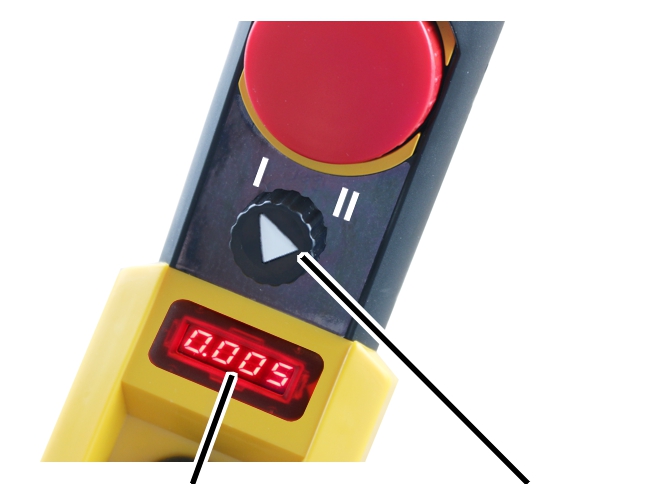
 Wait until the crane stops.
Set the rotary switch to “I” to select trolley I, or to “II” to
select trolley II.
● With load display on the pendant control: The load of the selected trolley is indicated on the display.
● Press the buttons for lifting, lowering and trolley travel to control the selected trolley.
Switching over to joint operation
|
| |
|
Load display on the pendant control |
Selector switch |
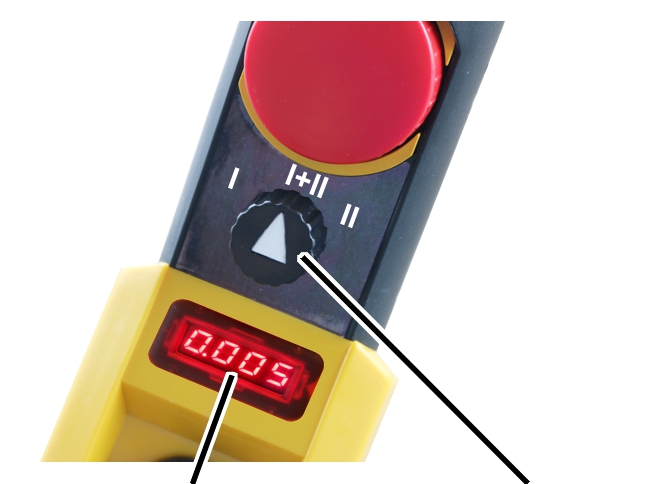
Wait until the crane stops.
Set the rotary switch to trolley I+II.
● With load displays on the trolleys: The individual load of the trolleys is shown on the displays of the trolleys.
● With load display on the crane: The display shows the total load.
Press the buttons for lifting, lowering and trolley travel to operate
trolley I and II at the same time.