Only with program versions from 2.3.0.1
The connection of KranOS and PLC is displayed in the start window.
|
|
|
|
| |
|
"KranOS status" description field |
|
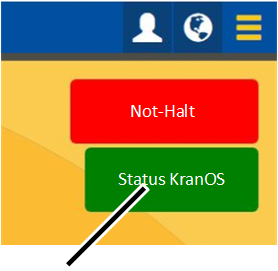
● The description field "KranOS status" shows the status of the connection of KranOS to the PLC:
─ Description field has a green background: Connection is established.
─ Description field has a red background: Connection is interrupted. KranOS can be used, but the displayed values are possibly incorrect.
Re-establishing the connection:
 Close the browser on the
computer.
Close the browser on the
computer.
Reopen the browser.
Log in to KranOS again. See Logging into KranOS.